UniFi home networks, designed and installed
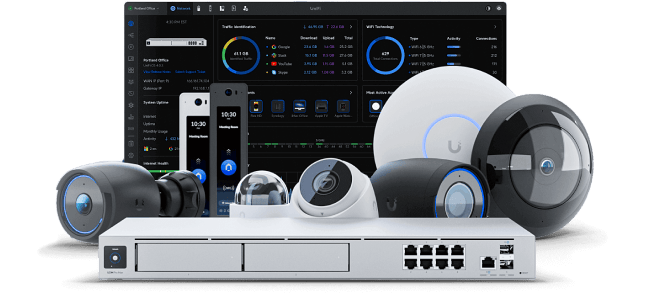
A UniFi home network is one managed system: a gateway for your internet connection, a PoE switch feeding wired access points and cameras, and Cat6 cabling tying it together. Designed around your floorplan, it gives full-speed coverage in every room and a single dashboard for the whole house.
Likely causes
One router trying to cover a whole house
An ISP router in a media cabinet has to push signal through cabinet doors, studs and floors. The far bedrooms and the office get a fraction of the speed you pay for.
Extenders and mesh hops
Every wireless hop spends airtime relaying traffic instead of serving devices, so speeds drop the further you get from the router.
No wired backbone
Without cable to each coverage zone, no equipment brand can deliver consistent performance in a larger home.
Everything on one flat network
Dozens of smart devices, TVs and cameras sharing one network makes problems hard to isolate and harder to fix.
Your options
Gateway and switching
A UniFi gateway sized to your internet speed, with a PoE switch that powers access points and cameras over the same cables that carry their data.
Wired access points
One access point per floor or coverage zone, ceiling-mounted and cabled, with one network name and clean handoff as you move.
Structured cabling and a rack
Cat6 or Cat6A runs terminated on a patch panel in a wall-mounted or floor rack, labeled at both ends.
Segmented networks
Separate guest and IoT networks so smart devices and visitors stay off the network your work and personal devices use.
From the field
The single biggest predictor of how a UniFi home network performs is not the hardware tier — it is whether each access point has its own cable and sits in the open rather than in a closet.
Thinking about UniFi?
Submitting costs nothing. Your contact details stay private until a matched professional takes your project.
Frequently asked questions
- Can you install UniFi equipment I already bought?
- Yes. Installing owner-supplied UniFi gear is one of the most common requests we see — send the model list so the PoE and gateway capacity can be checked first.
- How many access points will my home need?
- Most homes need two to four, placed by coverage zone rather than square footage alone. Large or long floorplans and detached structures need more.
- Do I need a rack?
- Not always. A wall-mounted panel is enough for a small system; a rack makes sense once you have a gateway, switch, patch panel and camera recording.
Services that fix this
Sold only once
Matched professionals may see a private preview, but only one receives your contact details.
Private by default
Your contact details are only shared with the professional who takes the project.
No technical detail needed
Describe the result you want. The pro works out the equipment.