UniFi Wi-Fi installation for whole-home coverage
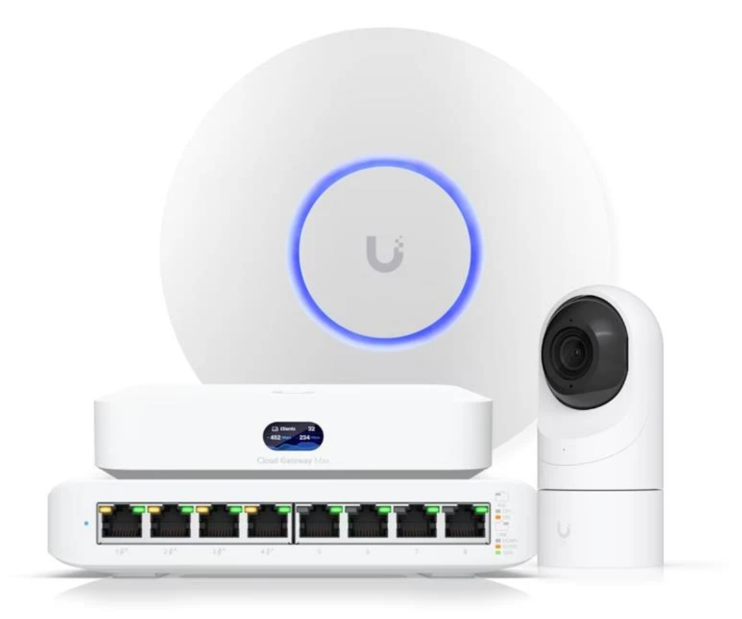
UniFi Wi-Fi works when each access point is ceiling-mounted in the middle of the area it serves and fed by its own Ethernet cable. Two to four access points, tuned after a coverage walk, replaces a router-and-extenders setup and holds full speed across the house.
Likely causes
Access points in the wrong place
Units on shelves, in cabinets or in utility closets radiate into furniture and walls instead of into rooms.
Wireless uplinks where cable was possible
UniFi access points can mesh, but doing so gives up the throughput advantage that made UniFi worth choosing.
Default radio settings
Factory channels and transmit power fight the neighbors and each other. In dense areas this alone can halve usable speed.
Too many access points, too close
More units on overlapping channels makes roaming worse, not better.
Your options
Coverage walk first
Map the rooms and outdoor areas that must work, then place access points by zone rather than by square footage.
Wired backhaul to each unit
One Cat6 run per access point from the equipment location, PoE powered, so no hop costs throughput.
Ceiling or high-wall mounting
Mounted where the signal has to go, with in-wall units where a ceiling mount is impossible.
Tuning and verification
Channels, power and roaming set for your home, then speeds verified room by room before we call it finished.
From the field
Full bars with terrible speed is the classic symptom of a badly placed access point: the phone can hear the unit, but the unit can barely hear the phone.
Thinking about UniFi?
Submitting costs nothing. Your contact details stay private until a matched professional takes your project.
Frequently asked questions
- UniFi or mesh Wi-Fi?
- If cable can reach each access point, UniFi wins clearly. If no wiring is possible and the home is small and open, a consumer mesh is simpler and adequate.
- Will UniFi fix slow Wi-Fi upstairs?
- Yes, when an access point is added on that floor and wired from below. Adding equipment downstairs will not.
- Can I keep my ISP router?
- Often yes, in bridge or passthrough mode behind a UniFi gateway — or the gateway can replace it entirely depending on your provider.
Services that fix this
Sold only once
Matched professionals may see a private preview, but only one receives your contact details.
Private by default
Your contact details are only shared with the professional who takes the project.
No technical detail needed
Describe the result you want. The pro works out the equipment.