UniFi Protect camera installation for homes
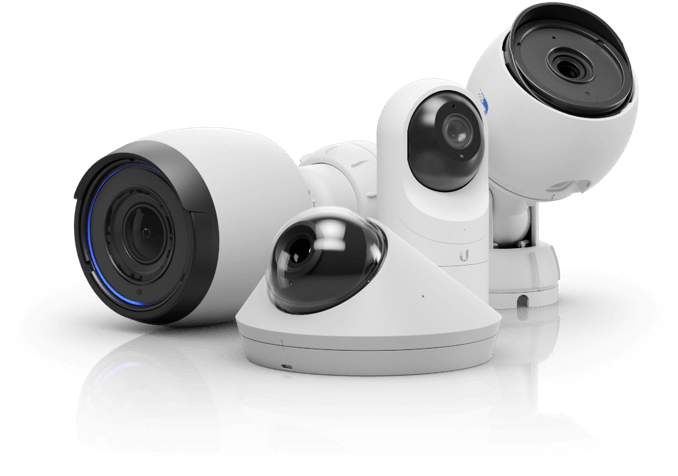
UniFi Protect cameras run on a single Ethernet cable each and record continuously to a gateway or NVR on your property, with no per-camera monthly fee. A typical home is well covered by four to eight cameras at the entries, driveway and yard approaches.
Likely causes
Battery cameras that miss the moment
Event-triggered clips often start after the thing you wanted to see, and every unit needs recharging.
Cloud-only footage and subscriptions
Per-camera fees add up, and retention is controlled by the vendor rather than by you.
Poor placement and aiming
Cameras mounted too high record the tops of heads; cameras aimed into a porch light or bright sky blow out exactly the detail you need.
Separate apps for everything
Cameras on one app and the network on another makes ordinary troubleshooting harder than it should be.
Your options
Camera plan by approach path
Front entry, driveway and street approach, rear door or patio, side gates — covering how people reach the house, not just the walls.
PoE cabling and power budget
One run per camera back to the equipment location, on a switch with enough PoE headroom for cameras plus access points.
Local recording and retention
A gateway with storage or a dedicated NVR, sized for your camera count and the number of days you want kept.
Night verification
Aiming and focus checked after dark, when infrared bounce off walls and railings shows up.
From the field
Retention target drives storage more than resolution does. Decide whether you want two weeks or a month of footage before choosing a drive.
Planning a camera system?
Submitting costs nothing. Your contact details stay private until a matched professional takes your project.
Frequently asked questions
- Is there a monthly fee?
- Not for recording. Footage is stored locally on the recorder you own.
- How many cameras does a house need?
- Four to eight covers most homes — entries, driveway and the paths to the back of the house.
- Can cameras share the network with everything else?
- Yes, and they are usually put on their own network segment so their traffic stays separate from your personal devices.
Services that fix this
Sold only once
Matched professionals may see a private preview, but only one receives your contact details.
Private by default
Your contact details are only shared with the professional who takes the project.
No technical detail needed
Describe the result you want. The pro works out the equipment.